
From contact database to AI prospecting assistant
iD4me PropTech Platform
COMPANY
iD4me
ROLE
Senior product designer (UX/UI, research)
LOCATION
Melbourne
DATE
Nov 2025 - May 2026
TEAM
Product, Dev, Data, Marketing, CEO, Deakin University AI
oUTPUT
AI assistant spec, tested prototype and pilot plan
01 · the problem
Context
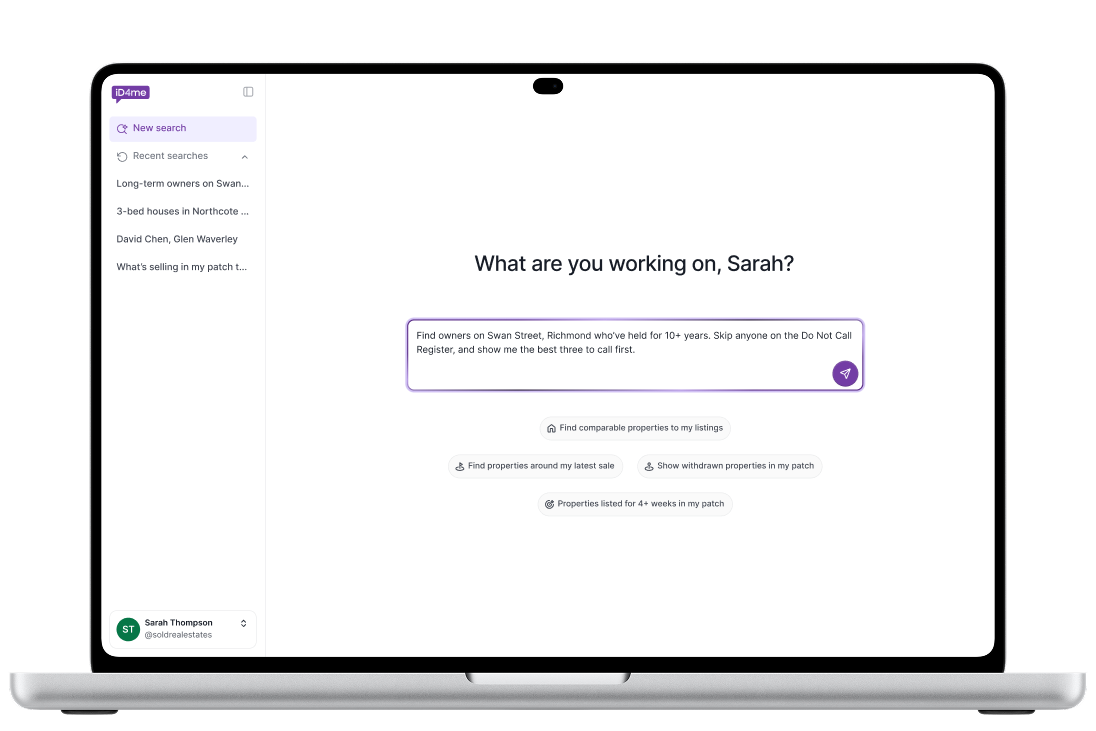
Real estate agents needed the right owner and the right number, fast. One search in five gave them nothing.
I designed a conversational assistant that infers ownership, shows how sure it is, and never invents data.
It hasn't launched yet. But my spec became the build document, and my trust rules became engineering acceptance criteria.
How do you let an AI tell an agent who owns a house, when most of the data can't prove it?
iD4me's data comes from marketing consent, not title deeds. Most properties had no confirmed owner.
A wrong answer means a wasted call, lost trust, or a compliance problem if the number is on the Do Not Call Register.
So the real design problem wasn't the chat window. It was how the AI talks about what it doesn't know.
02 · What we learned
No research existed,findings shaped everything
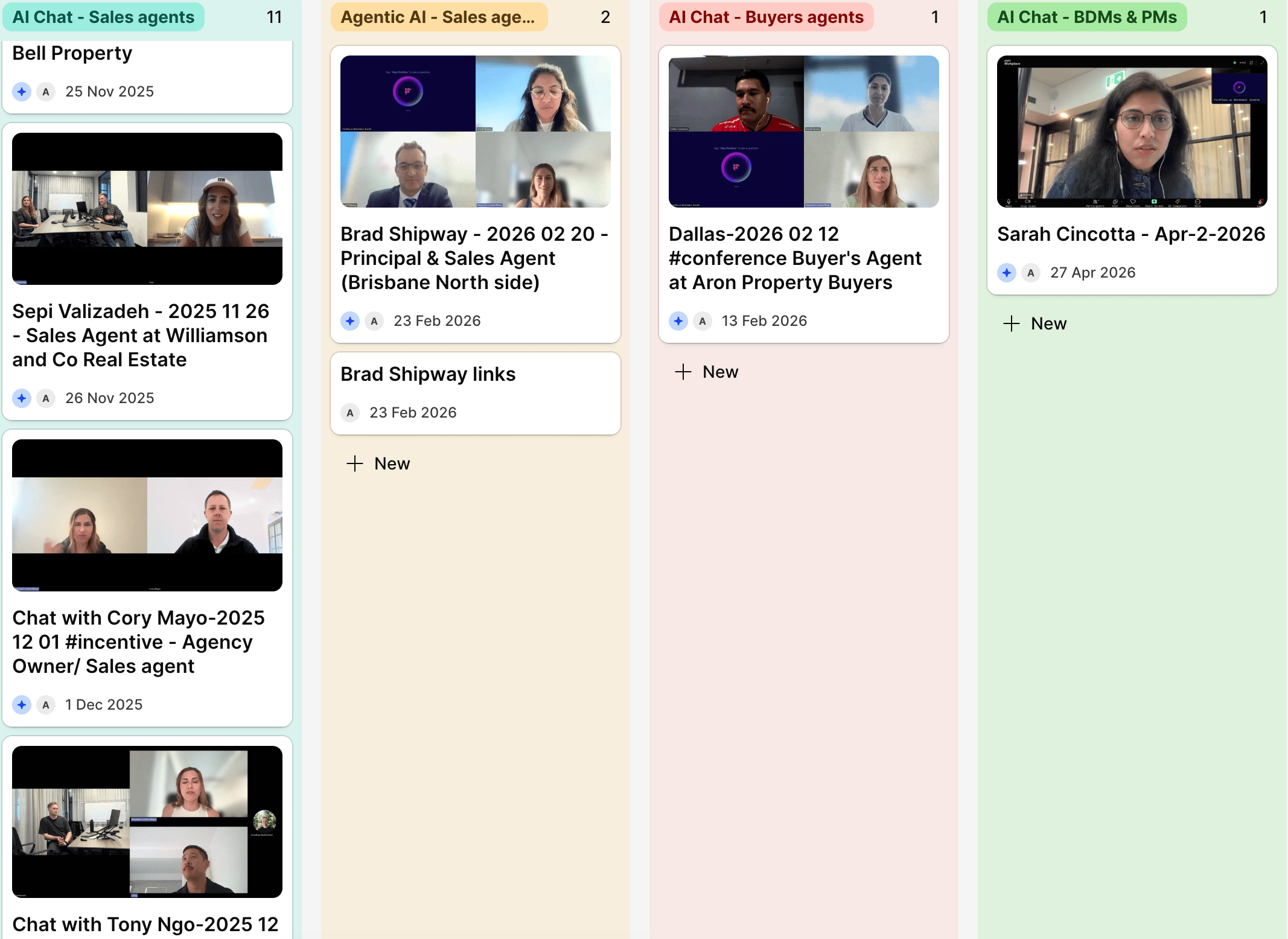
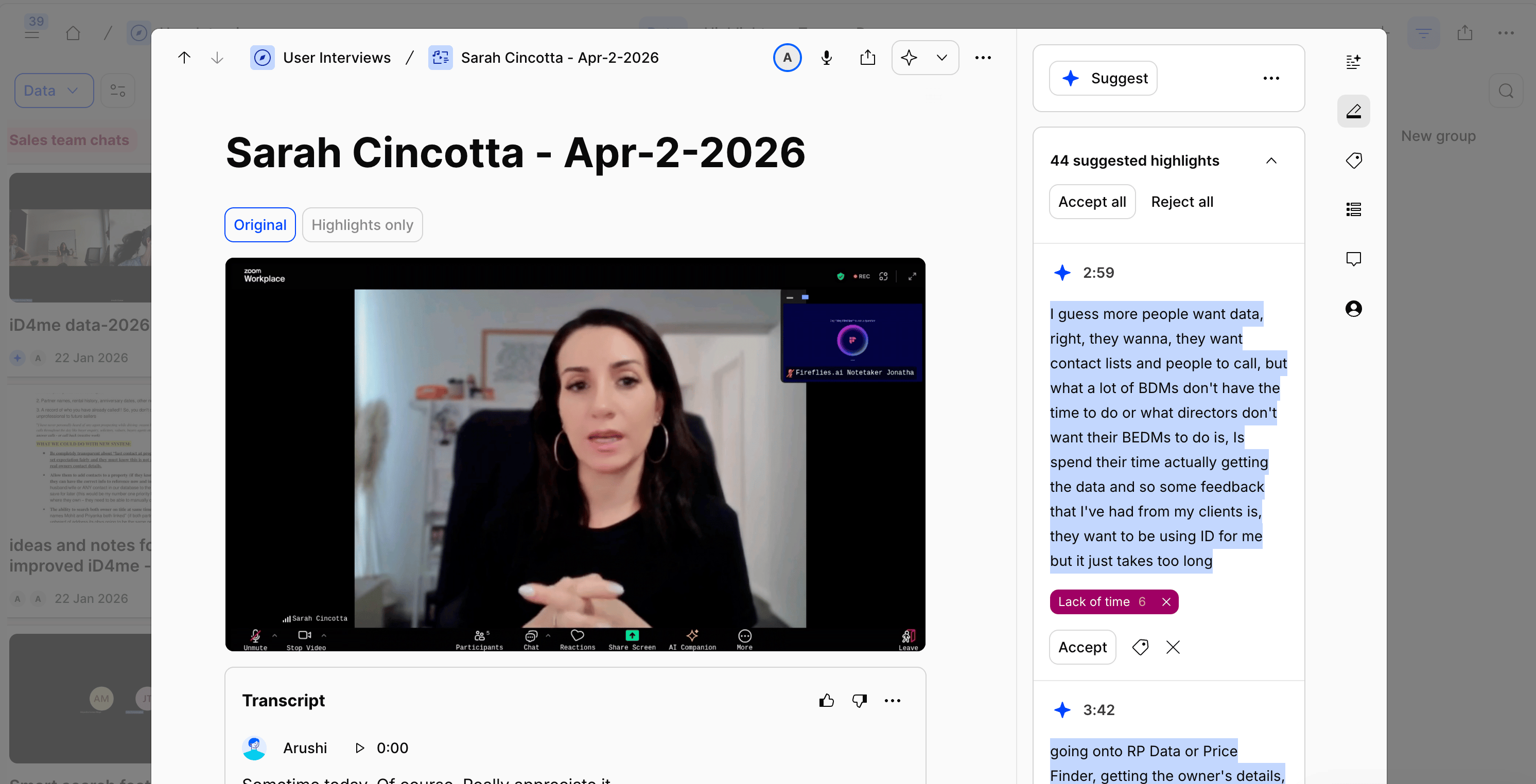
13 sessions across 3 rounds with sales agents, principals, business owners and buyer's agents. An interview with an experienced BDM mentor. The first segmentation of the user base by role.
From user research
10 of 13 agents
wanted contacts they could act on
“The only reason I really use it is for the contact details.”
9 of 13 agents
doubted who actually owns the property
“If it's like a trust, I'm shooting darts in the dark.”
9 of 13 agents
asked how the AI knew
“I don't know exactly where you get your data from.”
From platform data
1 in 5
searches returned nothing
1 in 8
returned 100 or more results
72%
of users prospect, so they became our target audience
Search data, Jun–Jul 2026. User segmentation by role.
03 · six use cases
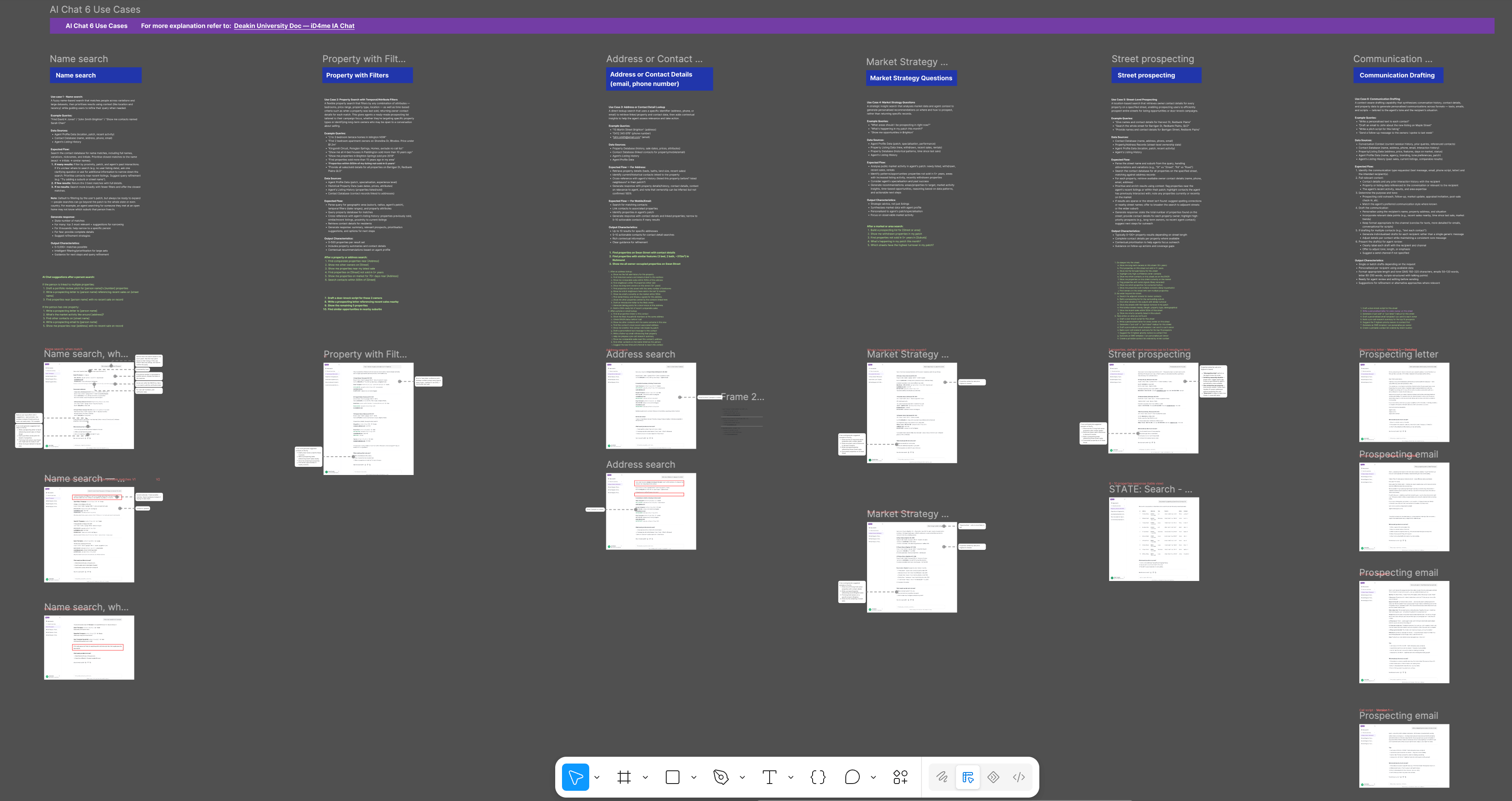
Every use case came from what agents asked for
Each one had its own spec: example queries, data sources, the expected flow and output rules. And its own screens, for every state.
01
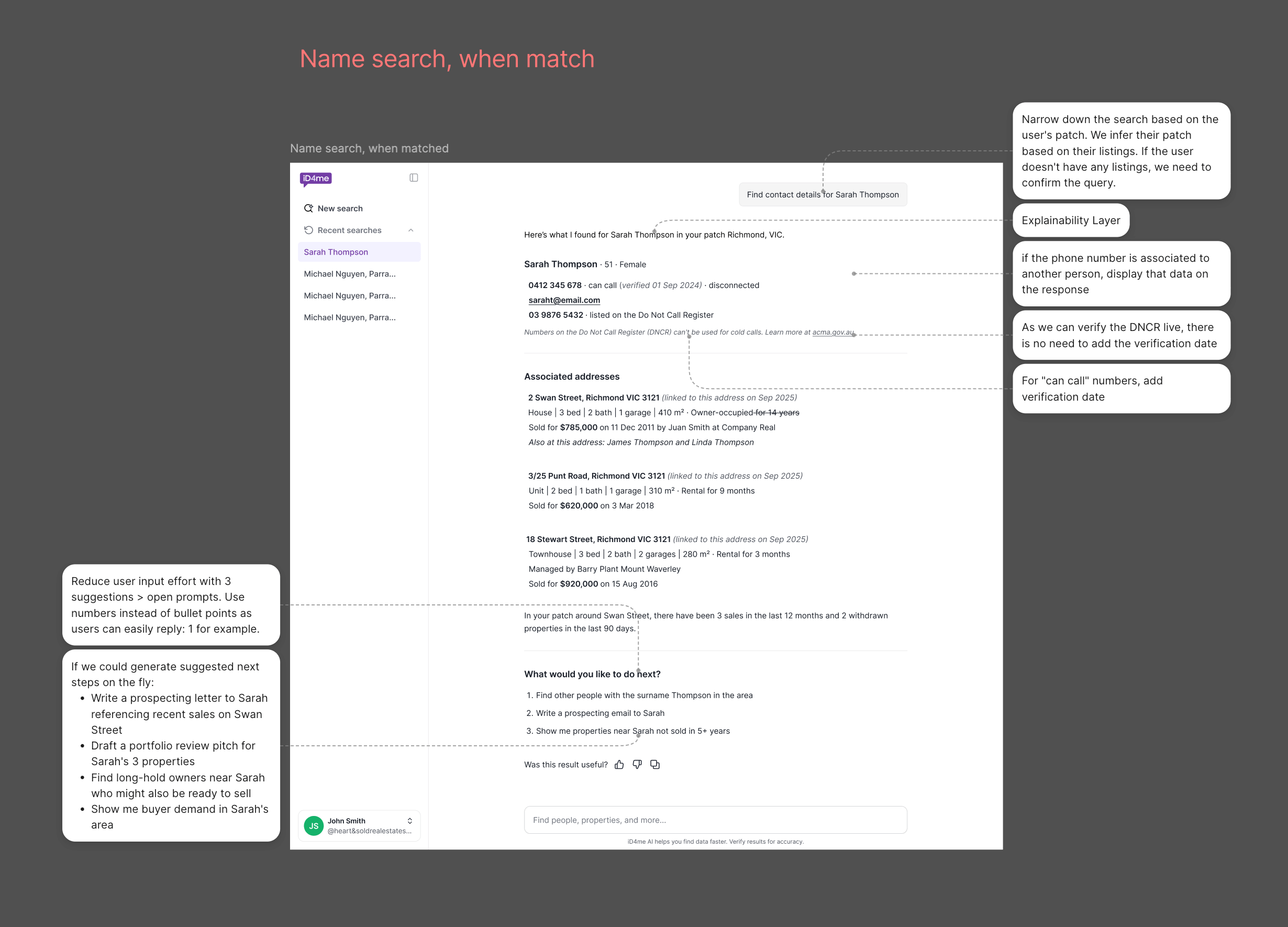
Name search
"John Smith Brighton"
02
Property prospecting
"3-bed houses in Northcote not sold in 10 years, under $800K"
03
Address lookup
"15 Martin St Brighton, VIC"
04
Market activity
"In this pocket of Balmer, which properties are likely to transact in the next 6 months?"
05
Street prospecting
"Give me owner names and details for Harvest St, Redbank Plains"
06
Communication drafting
"Draft a follow-up text for these three owners"
04 · six principles
Straight from research
The exploration was grounded in the problems we found in research. Every UI direction we tested, like map views, property cards, search history, mobile layouts, was evaluated against one question: does this help primary users solve the problems iD4me couldn't solve before?
- Search from property, not just name. Agents prospect from a street or suburb. The AI lets them search that way.
- One search, not five. The AI handles spelling variations and similar names, so agents reach the right contact faster.
- Let the system do the detective work. Show the most likely match, and what to check next.
- No training needed. Agents ask in their own words, not through filters.
- Show what iD4me can do. Most agents saw a contact lookup. The AI surfaces data they didn’t know existed.
- A portable prospecting record. Search history and saved contacts, so lists don’t live in spreadsheets.
05 · How the design evolved
Designing for when the AI gets it wrong
I designed every outcome for every use case: a match, no match, too many matches and errors. Three versions, each changed after a round of interviews.
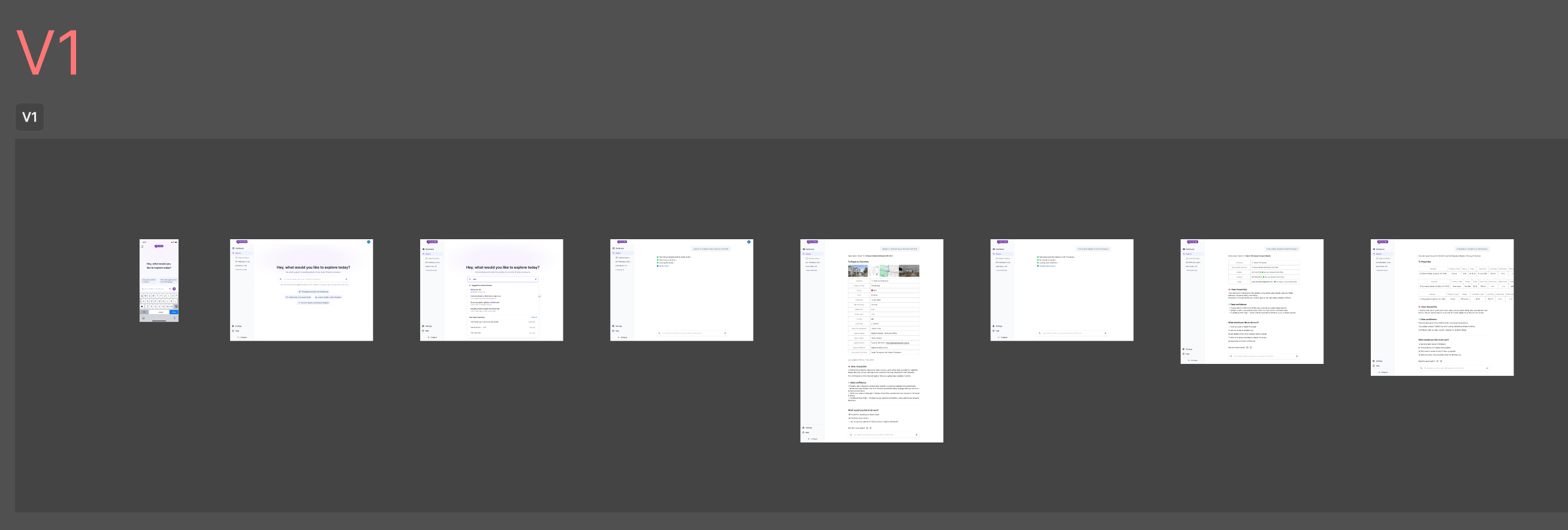
V1 · Exploring the idea
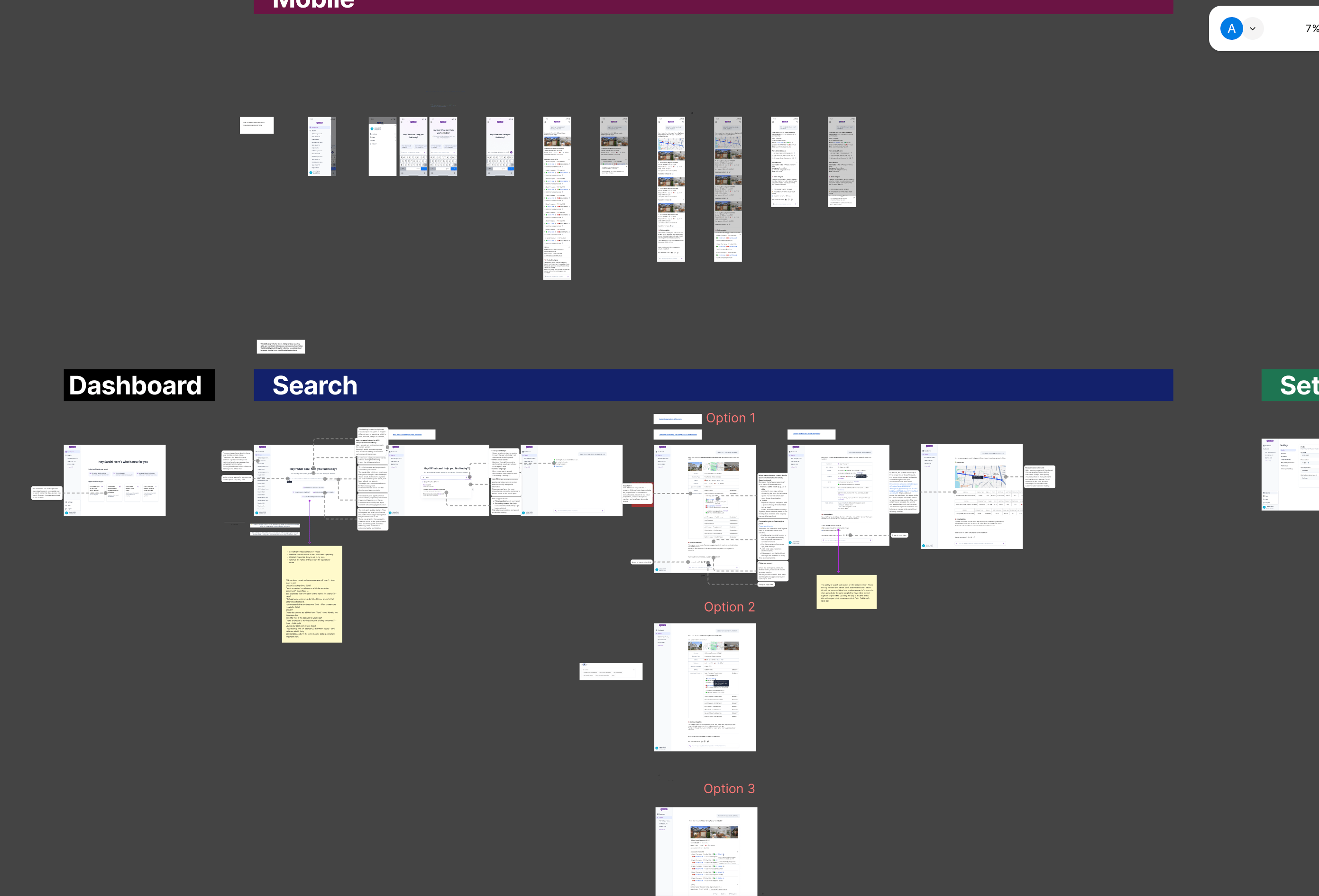
V4 · Shaping the product
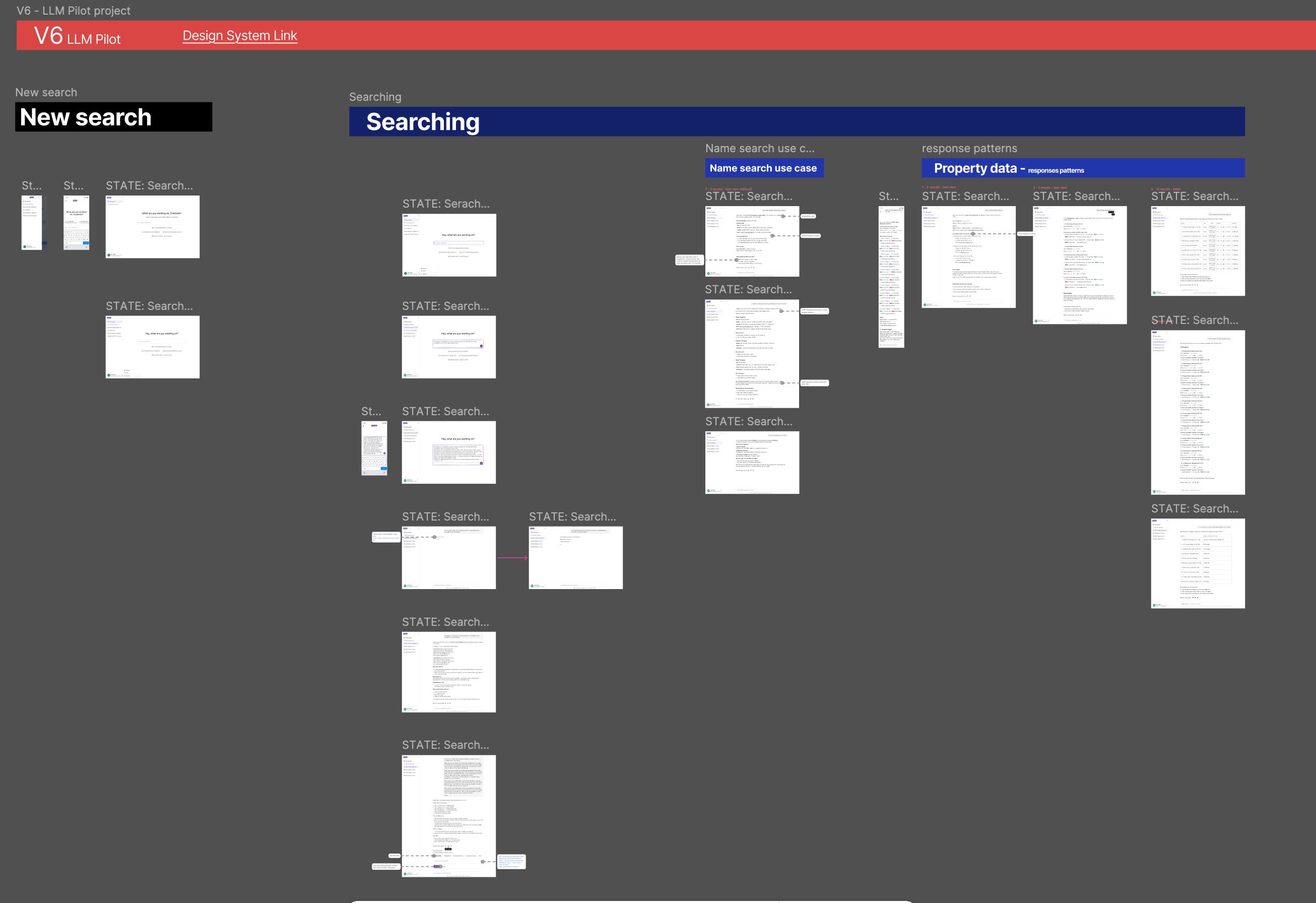
V6 · The pilot version
Built for handoff
Every frame had notes for engineering: ranking rules, when to show DNCR status, how to word court record matches.
Each use case linked to its spec, so the design and the spec never drifted apart.
06 · What testing changed
The AI didn't exist yet,I tested its behaviour anyway
Agents typed real queries into a working chat, and I sent back responses in real time. To them, it felt live. I wasn’t testing if the AI was accurate. I was testing if agents understood it, trusted it and got what they expected.
13 sessions · 45–50 min each · Figma prototype + live chat
Open exploration
Property search
Contact lookup
Area prospecting
Mobile use
Before
Full property profiles in every answer. Two agents said it was too much: “You give me too much.”
After
A short summary first. Detail on request.
Before
Answers didn't say where the data came from. Nine agents asked how the AI knew.
After
Every answer shows its source, how recent it is, and why it matched.
Before
An open prompt: “What would you like to explore today?” Three agents didn't know what to type. One called it “so general that I would not know” what to enter.
After
Specific suggested prompts on first load, based on role and patch.
What testing proved wrong
- An open chat doesn't tell people what to ask. They need clear starting points.
- More data doesn't identify the owner. A name mismatch made one agent hesitant to call.
- Property insight isn't the main value. Contacts are.
“I still want to have another confirmation just to make sure it's correct.”
Who said they wouldn't use it
- One user wouldn't use a “medium” confidence label. It didn't tell him if the data was right or wrong. A plain reason does.
- Another wouldn't risk incorrect owner data when another platform showed title details.
- A third would stop using it if the first results weren't useful.
07 · Three decisions
What I chose, what I rejected, and what it cost
Inferred, never stated
Chose
Ownership as a label (Strong, Partial or Nearby match) with a one-line reason.
Rejected
Saying “owner” whenever the data matched. What agents asked for.
Cost
No time was planned for confidence labels. I made the case for keeping them as a key trust requirement.
Prospectors only
Chose
A pilot for sales agents, principals and business owners. 72% of users.
Rejected
Our first spec, which covered every role.
Cost
BDMs, property managers and buyer's agents waited for phase 2, with some of my strongest research.
Summary first, small batches
Chose
Responses are a short summary, then 3 to 10 results at a time.
Rejected
The full data dump agents get today in iD4me, ready to export.
Cost
Agents who wanted a full list had to ask again. But short responses mattered: every extra result meant more personal data and higher cost, already projected at six times the $5 target.
08 · How the AI behaves
Figma showed each state,the spec said what the AI must do
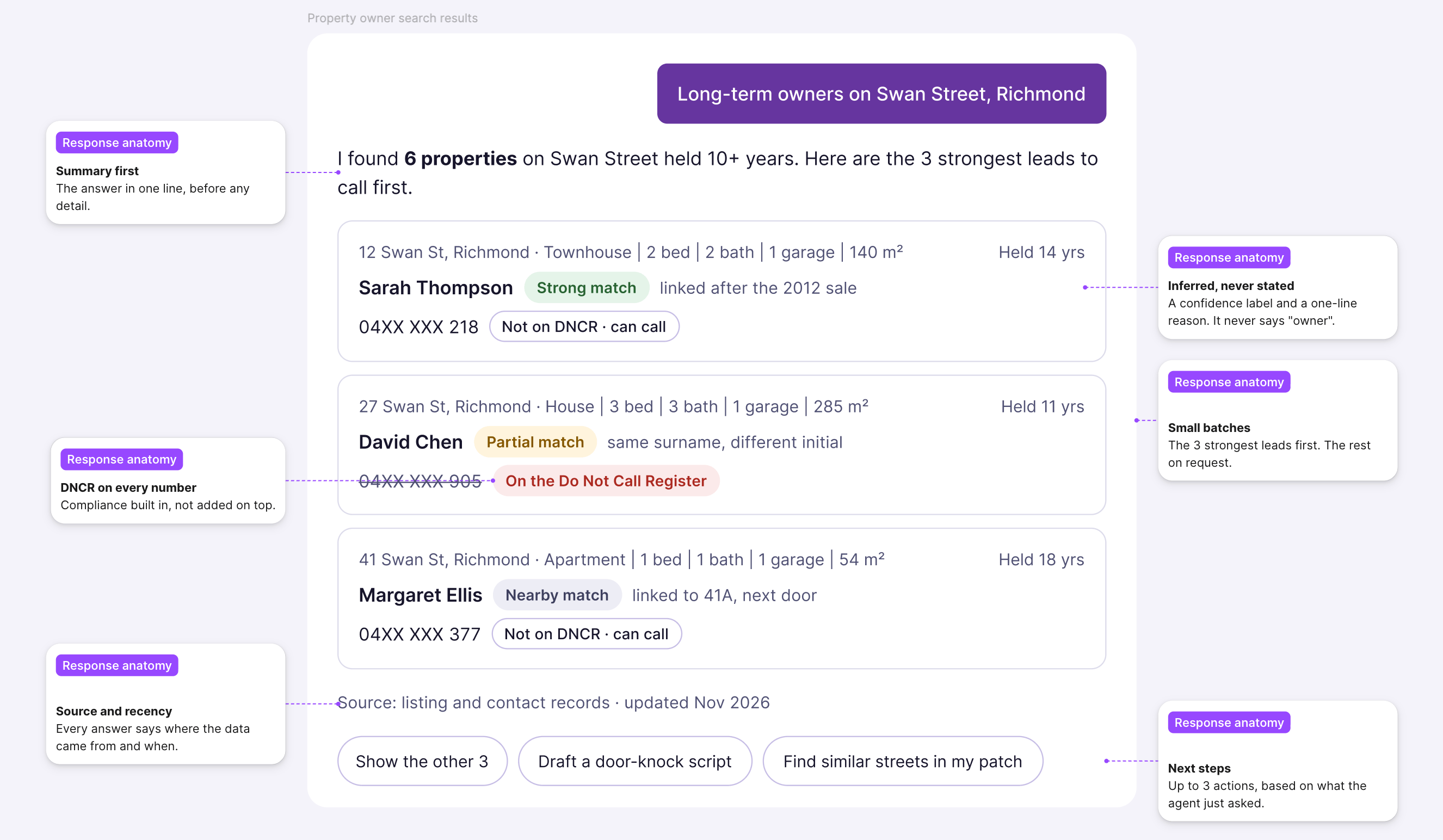
Situation
What the AI does
Not sure who owns it
Shows a confidence label and a one-line reason
Data is missing
Says what's missing, then offers something useful
Query is unclear
Asks one clarifying question, never two
Too many results
Says how many, asks the agent to narrow
No results
Says so plainly, suggests another way in
Every time
Never invents data. DNCR on every number. Few contact details unless asked.
Tone
A sharp colleague, in agents' words: patch, vendor, OFI
9 · Did agents actually want a chat?
The answer was mixed,that was the most useful finding
The brief started as AI-first. When I asked agents to compare the chat with today's search, they didn't pick one. They needed both.
Note: Some friction came from the prototype itself, like speed and mock data, so I weighed those comments carefully.
Where chat helped
Better for deciding who to call.
Finding better prospects, combining property and contact data, and doing the detective work.
“100%” a good starting point.
3 agents were strongly positive, 2 more with caveats.
“100%, a good starting point.”
6 agents
saw real value in it.
4 agents were strongly positive, 2 more with caveats.
Where today's search won
Better for working through the list.
Fast lookups, one-click copy into a CRM, scanning and cross-checking. A chat showing 3 to 10 results can't do that.
“The current set out is pretty good. It’s very quick.”
7 agents
needed to work through many results at once.
2 agents preferred today's search outright. 3 found the chat no faster.
10 · Where it landed
The business decided not to launch it for now, here's what I can show
No date has been set, so there are no production numbers. Each claim is labelled by how sure it is.
Validated
In research and data
- One search in five returned nothing. One in eight returned 100 or more. (1 Jun to 31 July 2026)
- Agents wanted the right number, not hundreds. Ownership was their biggest worry.
Adopted
Inside the company
- My spec became the build document for Deakin University’s AI team..
- Engineering built a working chat against it and started internal testing.
- My trust rules became acceptance criteria.
- My six use cases became the product's core capabilities in iD4me's 2026 PropTech Awards entry.
Target
Not yet measured
- 5 to 20% lower churn for users with access.
- Under $15 per user per month in the pilot, under $5 at full rollout. Projected at about $30 today, not measured.
- Responses under 5 seconds. Zero personal data exposure incidents.
- Under $15 per user per month in the pilot, under $5 at full rollout. Projected at about $30 today, not measured.
- Responses under 5 seconds. Zero personal data exposure incidents.
The plan: time three everyday tasks before and after launch, and survey agents three times.
What I'd recommend now
AI inside the search, not instead of it
- Natural language in the existing search bar.
- Suggested prompts and short summaries on top of the results list.
- Keep scanning, cross-checking and one-click copy.
- Release to a larger share of users, measure, then grow.
11 · learnings
AI can improve a product without replacing it
Agents wanted to ask in their own words, and to scan, compare and copy long lists. Chat alone gave them the first and took away the second. AI inside the existing search gives them both.
Test the concept before the interface
I refined how the chat should answer before testing whether agents wanted a chat at all. Next time, round one puts the new idea side by side with today’s product.
Design for the whole workflow
Agents scan, cross-check in other tools and copy into their CRM. Now I map what happens after the result, not just the result.
Ship small AI and learn from real use
Natural language in the existing search bar, released to more agents, would have given real data months earlier.

NEXT CASE STUDY
Memories Connect CRM


From contact database to AI prospecting assistant
iD4me PropTech Platform
COMPANY
iD4me · AU & NZ
ROLE
Senior product designer (UX/UI, research)
DATE
Nov 2025 - May 2026
TEAMS
Product, Dev, Data, Marketing, CEO, Deakin University AI
LOCATION
Melbourne
oUTPUT
AI assistant spec, tested prototype and pilot plan
01 · the problem
Context
Real estate agents needed the right owner and the right number, fast. One search in five gave them nothing.
I designed a conversational assistant that infers ownership, shows how sure it is, and never invents data.
It hasn't launched yet. But my spec became the build document, and my trust rules became engineering acceptance criteria.
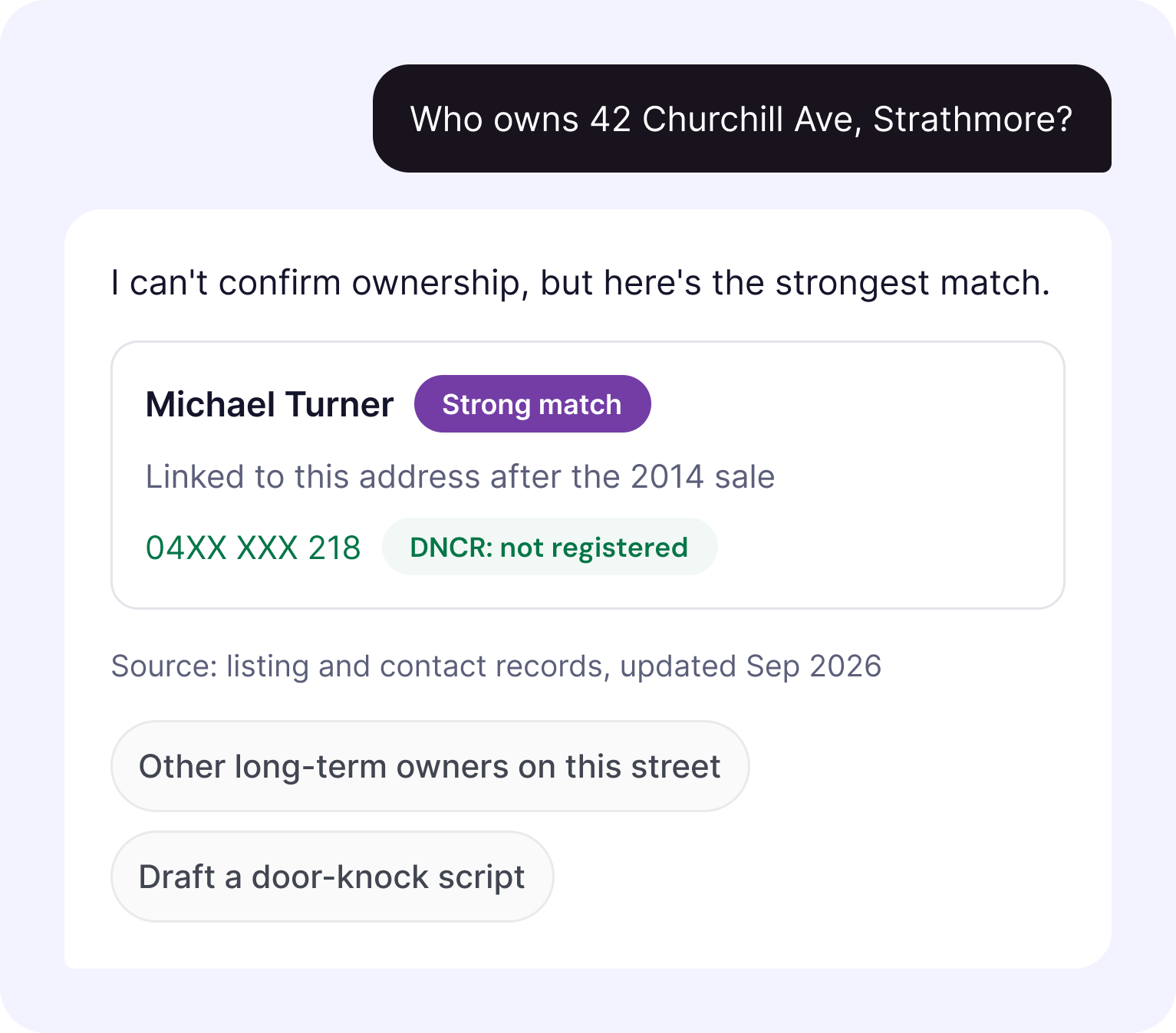
How do you let an AI tell an agent who owns a house, when most of the data can't prove it?
iD4me's data comes from marketing consent, not title deeds. Most properties had no confirmed owner.
A wrong answer means a wasted call, lost trust, or a compliance problem if the number is on the Do Not Call Register.
So the real design problem wasn't the chat window. It was how the AI talks about what it doesn't know.
02 · What we learned
No research existed,findings shaped everything
13 sessions across 3 rounds with sales agents, principals, business owners and buyer's agents. An interview with an experienced BDM mentor. The first segmentation of the user base by role.
From user research
10 of 13 agents
wanted contacts they could act on
“The only reason I really use it is for the contact details.”
Real estate sales agent
9 of 13 agents
doubted who actually owns the property
“If it's like a trust, I'm shooting darts in the dark.”
Agent and agency owner
9 of 13 agents
asked how the AI knew
“I don't know exactly where you get your data from.”
Real estate sales agent
From platform data
1 in 5
searches returned nothing
1 in 8
returned 100 or more results
72%
of users prospect, so they became our target audience
Search data, Jun–Jul 2026. User segmentation by role.
03 · six use cases
Every use case came from what agents asked for
Each one had its own spec: example queries, data sources, the expected flow and output rules. And its own screens, for every state.
01
Name search
"John Smith Brighton"
Matches across spellings, ranked by patch and recency. Too many matches, and it asks to narrow.
02
Property prospecting
"3-bed houses in Northcote not sold in 10 years, under $800K"
Multi-attribute filters. A ready-made prospecting list.
03
Address lookup
"15 Martin St Brighton, VIC"
Direct lookup by address. Ownership disclaimer on every result.
04
Market activity
"In this pocket of Balmer, which properties are likely to transact in the next 6 months?"
Recent sales and signals, tied to the agent's own patch for personalised prospecting recommendations.
05
Street prospecting
"Give me owner names and details for Harvest St, Redbank Plains"
Every property on a street, prioritised by 10-10-20 logic and long-hold ownership, 3 to 10 at a time.
06
Communication drafting
"Draft a follow-up text for these three owners"
Scripts, texts, and emails using the agent's tone and contact's property context.
04 · six principles
Straight from research
The exploration was grounded in the problems we found in research. Every UI direction we tested, like map views, property cards, search history, mobile layouts, was evaluated against one question: does this help primary users solve the problems iD4me couldn't solve before?
- Search from property, not just name. Agents prospect from a street or suburb. The AI lets them search that way.
- One search, not five. The AI handles spelling variations and similar names, so agents reach the right contact faster.
- Let the system do the detective work. Show the most likely match, and what to check next.
- No training needed. Agents ask in their own words, not through filters.
- Show what iD4me can do. Most agents saw a contact lookup. The AI surfaces data they didn’t know existed.
- A portable prospecting record. Search history and saved contacts, so lists don’t live in spreadsheets.
05 · How the design evolved
Designing for when the AI gets it wrong
I designed every outcome for every use case: a match, no match, too many matches and errors. Three versions, each changed after a round of interviews.
V1 · Exploring the idea
The first version of the chat experience on desktop. A quick way to make the idea real and get early reactions.
V4 · Shaping the product
The full experience on desktop and mobile, narrowed after feedback: dashboard refined, search enhanced and settings simplified. Three options for how results should look, tested with users.
V6 · The pilot version
Built around the six use cases and real queries. Every outcome designed: a match, no match, too many matches, missing data and errors.
Built for handoff
Every frame had notes for engineering: ranking rules, when to show DNCR status, how to word court record matches.
Each use case linked to its spec, so the design and the spec never drifted apart.
06 · What testing changed
The AI didn't exist yet,I tested its behaviour anyway
Agents typed real queries into a working chat, and I sent back responses in real time. To them, it felt live. I wasn’t testing if the AI was accurate. I was testing if agents understood it, trusted it and got what they expected.
13 sessions · 45–50 min each · Figma prototype + live chat
Open exploration
Property search
Contact lookup
Area prospecting
Mobile use
Before
Full property profiles in every answer. Two agents said it was too much: “You give me too much.”
After
A short summary first. Detail on request.
Before
Answers didn't say where the data came from. Nine agents asked how the AI knew.
After
Every answer shows its source, how recent it is, and why it matched.
Before
An open prompt: “What would you like to explore today?” Three agents didn't know what to type. One called it “so general that I would not know” what to enter.
After
Specific suggested prompts on first load, based on role and patch.
What testing proved wrong
- An open chat doesn't tell people what to ask. They need clear starting points.
- More data doesn't identify the owner. A name mismatch made one agent hesitant to call.
- Property insight isn't the main value. Contacts are.
“I still want to have another confirmation just to make sure it's correct.”
Who said they wouldn't use it
- One user wouldn't use a “medium” confidence label. It didn't tell him if the data was right or wrong. A plain reason does.
- Another wouldn't risk incorrect owner data when another platform showed title details.
- A third would stop using it if the first results weren't useful.
07 · Three decisions
What I chose, what I rejected, and what it cost
Inferred, never stated
Chose
Ownership as a label (Strong, Partial or Nearby match) with a one-line reason.
Rejected
Saying “owner” whenever the data matched. What agents asked for.
Cost
No time was planned for confidence labels. I made the case for keeping them as a key trust requirement.
Prospectors only
Chose
A pilot for sales agents, principals and business owners. 72% of users.
Rejected
Our first spec, which covered every role.
Cost
BDMs, property managers and buyer's agents waited for phase 2, with some of my strongest research.
Summary first, small batches
Chose
Responses are a short summary, then 3 to 10 results at a time.
Rejected
The full data dump agents get today in iD4me, ready to export.
Cost
Agents who wanted a full list had to ask again. But short responses mattered: every extra result meant more personal data and higher cost, already projected at six times the $5 target.
08 · How the AI behaves
Figma showed each state,the spec said what the AI must do
Situation
What the AI does
Example
Not sure who owns it
Shows a confidence label and a one-line reason
“Strong match · linked after the 2014 sale”
Data is missing
Says what's missing, then offers something useful
“I don't have days on market, but here's what's sold on Swan Street recently.”
Query is unclear
Asks one clarifying question, never two
“Do you mean Brighton VIC or Brighton SA?”
Too many results
Says how many, asks the agent to narrow
“I found [X] contacts with that name. Can you narrow it by suburb?”
No results
Says so plainly, suggests another way in
“No match for that name. Try the street or a phone number.”
Every time
Never invents data. DNCR on every number. Few contact details unless asked.
“04XX XXX 218 · On the Do Not Call Register”
Tone
A sharp colleague, in agents' words: patch, vendor, OFI
“Sarah Thompson is in your patch. Here's what you need to know.”
9 · Did agents actually want a chat?
The answer was mixed,that was the most useful finding
The brief started as AI-first. When I asked agents to compare the chat with today's search, they didn't pick one. They needed both.
Note: Some friction came from the prototype itself, like speed and mock data, so I weighed those comments carefully.
Where chat helped
Better for deciding who to call.
Finding better prospects, combining property and contact data, and doing the detective work.
“100%” a good starting point.
3 agents were strongly positive, 2 more with caveats.
“100%, a good starting point.”
6 agents
saw real value in it.
4 agents were strongly positive, 2 more with caveats.
Where today's search won
Better for working through the list.
Fast lookups, one-click copy into a CRM, scanning and cross-checking. A chat showing 3 to 10 results can't do that.
“The current set out is pretty good. It’s very quick.”
7 agents
needed to work through many results at once.
2 agents preferred today's search outright. 3 found the chat no faster.
10 · Where it landed
The business decided not to launch it for now, here's what I can show
No date has been set, so there are no production numbers. Each claim is labelled by how sure it is.
Validated
In research and data
- One search in five returned nothing. One in eight returned 100 or more. (1 Jun to 31 July 2026)
- Agents wanted the right number, not hundreds. Ownership was their biggest worry.
Adopted
Inside the company
- My spec became the build document for Deakin University’s AI team..
- Engineering built a working chat against it and started internal testing.
- My trust rules became acceptance criteria.
- My six use cases became the product's core capabilities in iD4me's 2026 PropTech Awards entry.
Target
Not yet measured
- 5 to 20% lower churn for users with access.
- Under $15 per user per month in the pilot, under $5 at full rollout. Projected at about $30 today, not measured.
- Responses under 5 seconds. Zero personal data exposure incidents.
- Under $15 per user per month in the pilot, under $5 at full rollout. Projected at about $30 today, not measured.
- Responses under 5 seconds. Zero personal data exposure incidents.
The plan: time three everyday tasks before and after launch, and survey agents three times.
What I'd recommend now
AI inside the search, not instead of it
- Natural language in the existing search bar.
- Suggested prompts and short summaries on top of the results list.
- Keep scanning, cross-checking and one-click copy.
- Release to a larger share of users, measure, then grow.
11 · learnings
AI can improve a product without replacing it
Agents wanted to ask in their own words, and to scan, compare and copy long lists. Chat alone gave them the first and took away the second. AI inside the existing search gives them both.
Test the concept before the interface
I refined how the chat should answer before testing whether agents wanted a chat at all. Next time, round one puts the new idea side by side with today’s product.
Design for the whole workflow
Agents scan, cross-check in other tools and copy into their CRM. Now I map what happens after the result, not just the result.
Ship small AI and learn from real use
Natural language in the existing search bar, released to more agents, would have given real data months earlier.

NEXT CASE STUDY
Memories Connect CRM

From contact database to AI prospecting assistant
iD4me PropTech Platform
COMPANY
iD4me · AU & NZ
ROLE
Senior product designer (UX/UI, research, strategy)
DATE
Nov 2025 - May 2026
TEAMS
Product, Dev, Data, Marketing, CEO, Deakin University AI
LOCATION
Melbourne
oUTPUT
AI assistant spec, tested prototype and pilot plan
01 · the problem
Context
Real estate agents needed the right owner and the right number, fast. One search in five gave them nothing.
I designed a conversational assistant that infers ownership, shows how sure it is, and never invents data.
It hasn't launched yet. But my spec became the build document, and my trust rules became engineering acceptance criteria.
How do you let an AI tell an agent who owns a house, when most of the data can't prove it?
iD4me's data comes from marketing consent, not title deeds. Most properties had no confirmed owner.
A wrong answer means a wasted call, lost trust, or a compliance problem if the number is on the Do Not Call Register.
So the real design problem wasn't the chat window. It was how the AI talks about what it doesn't know.
02 · What we learned
No research existed,findings shaped everything
13 sessions across 3 rounds with sales agents, principals, business owners and buyer's agents. An interview with an experienced BDM mentor. The first segmentation of the user base by role.
From user research
10 of 13 agents
wanted contacts they could act on
“The only reason I really use it is for the contact details.”
Real estate sales agent
9 of 13 agents
doubted who actually owns the property
“If it's like a trust, I'm shooting darts in the dark.”
Agent and agency owner
9 of 13 agents
asked how the AI knew
“I don't know exactly where you get your data from.”
Real estate sales agent
From platform data
1 in 5
searches returned nothing
1 in 8
returned 100 or more results
72%
of users prospect, so they became our target audience
Search data, Jun–Jul 2026. User segmentation by role.
Top themes, by users who raised them (of 13)
Owner and contact details they can act on
10
Trust in accurate, current owner matches
9
Richer property context to inform outreach
9
Less manual work and platform switching
8
Relevant, targeted, manageable results
8
Users interviews, coded in Dovetail.
03 · six use cases
Every use case came from what agents asked for
Each one had its own spec: example queries, data sources, the expected flow and output rules. And its own screens, for every state.
01
Name search
"John Smith Brighton"
Matches across spellings, ranked by patch and recency. Too many matches, and it asks to narrow.
02
Property prospecting
"3-bed houses in Northcote not sold in 10 years, under $800K"
Multi-attribute filters. A ready-made prospecting list.
03
Address lookup
"15 Martin St Brighton, VIC"
Direct lookup by address. Ownership disclaimer on every result.
04
Market activity
"In this pocket of Balmer, which properties are likely to transact in the next 6 months?"
Recent sales and signals, tied to the agent's own patch for personalised prospecting recommendations.
05
Street prospecting
"Give me owner names and details for Harvest St, Redbank Plains"
Every property on a street, prioritised by 10-10-20 logic and long-hold ownership, 3 to 10 at a time.
06
Communication drafting
"Draft a follow-up text for these three owners"
Scripts, texts, and emails using the agent's tone and contact's property context.
04 · six principles
Straight from research
The exploration was grounded in the problems we found in research. Every UI direction we tested, like map views, property cards, search history, mobile layouts, was evaluated against one question: does this help primary users solve the problems iD4me couldn't solve before?
- Search from property, not just name. Agents prospect from a street or suburb. The AI lets them search that way.
- One search, not five. The AI handles spelling variations and similar names, so agents reach the right contact faster.
- Let the system do the detective work. Show the most likely match, and what to check next.
- No training needed. Agents ask in their own words, not through filters.
- Show what iD4me can do. Most agents saw a contact lookup. The AI surfaces data they didn’t know existed.
- A portable prospecting record. Search history and saved contacts, so lists don’t live in spreadsheets.
05 · How the design evolved
Designing for when the AI gets it wrong
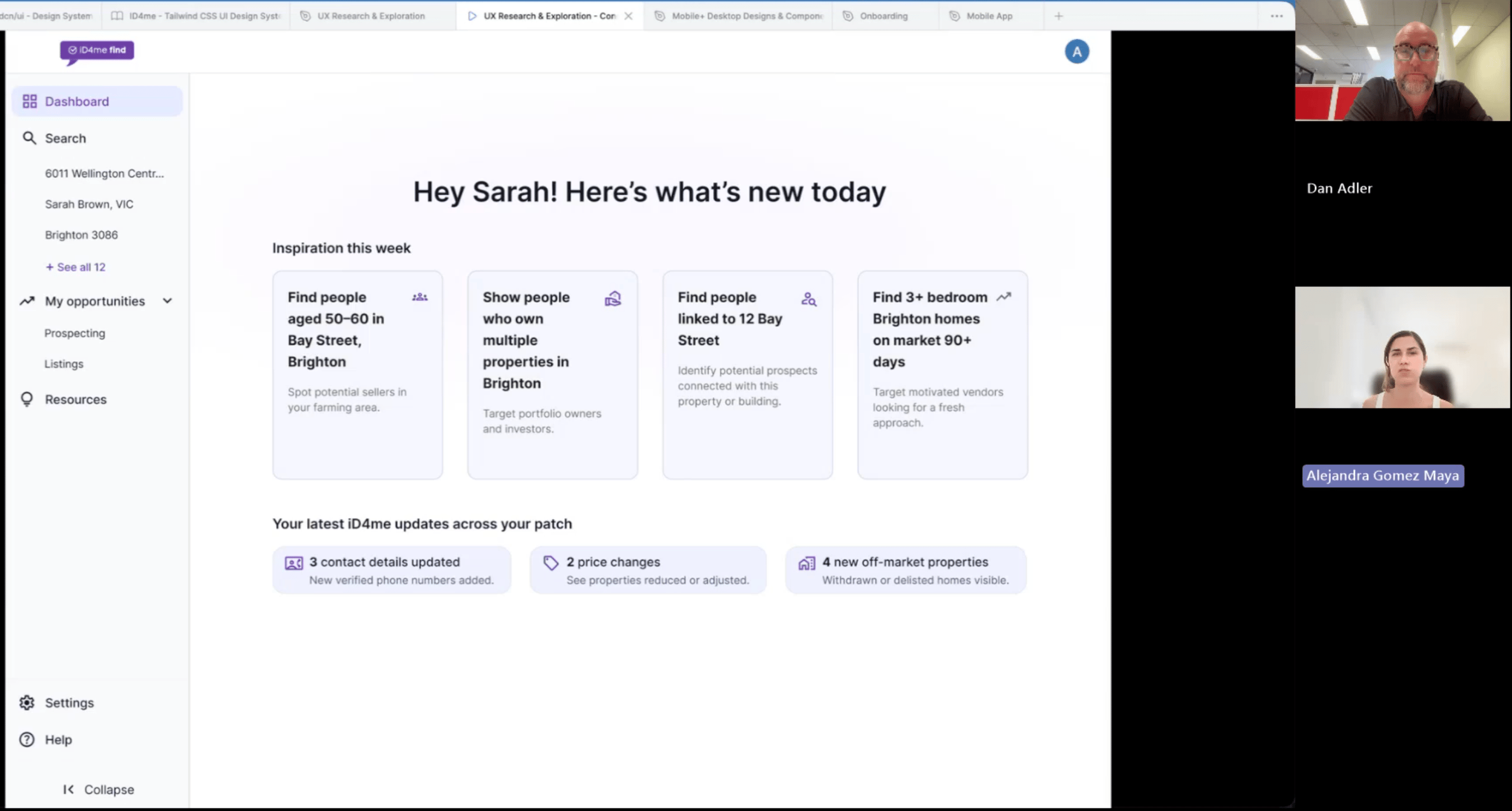
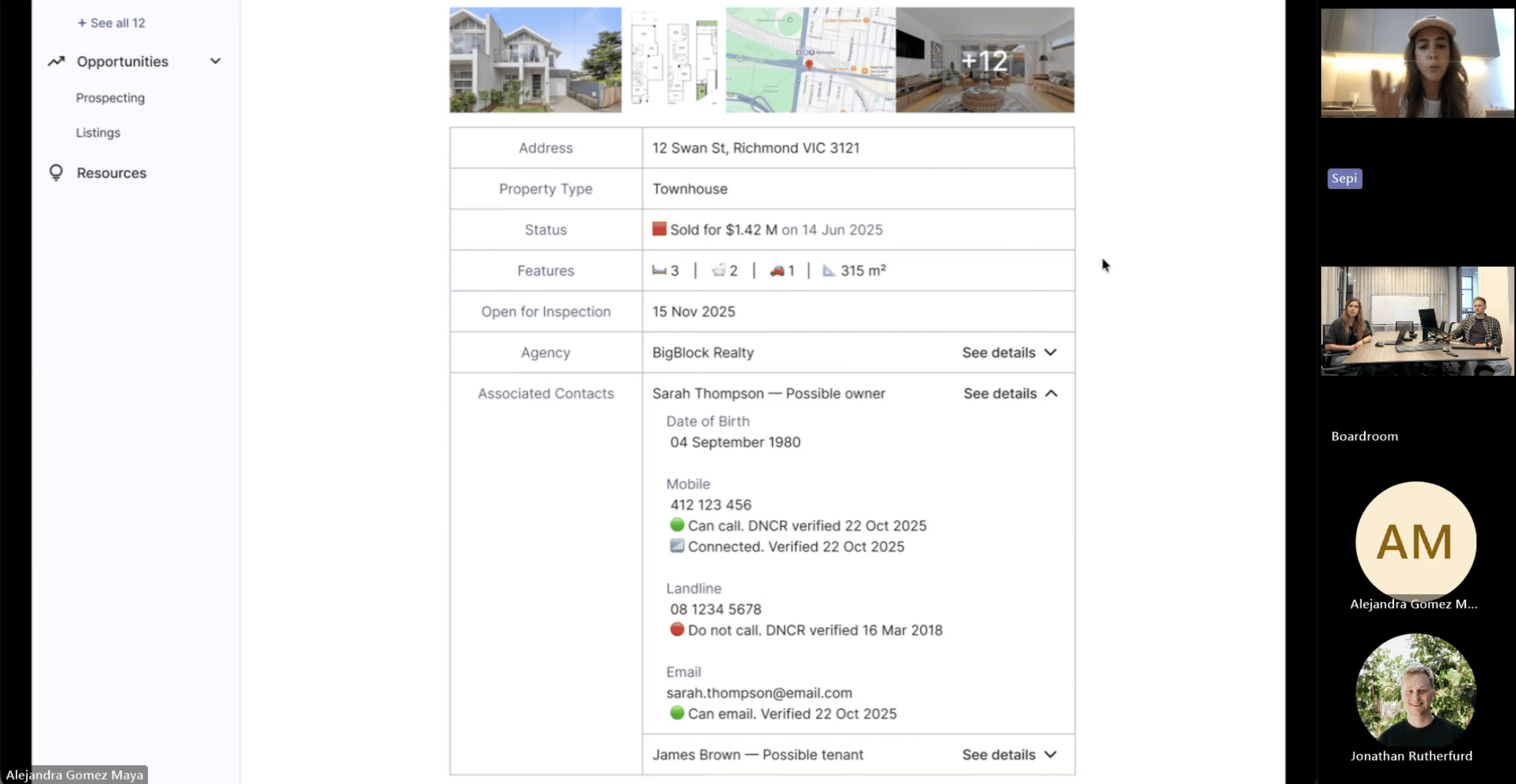
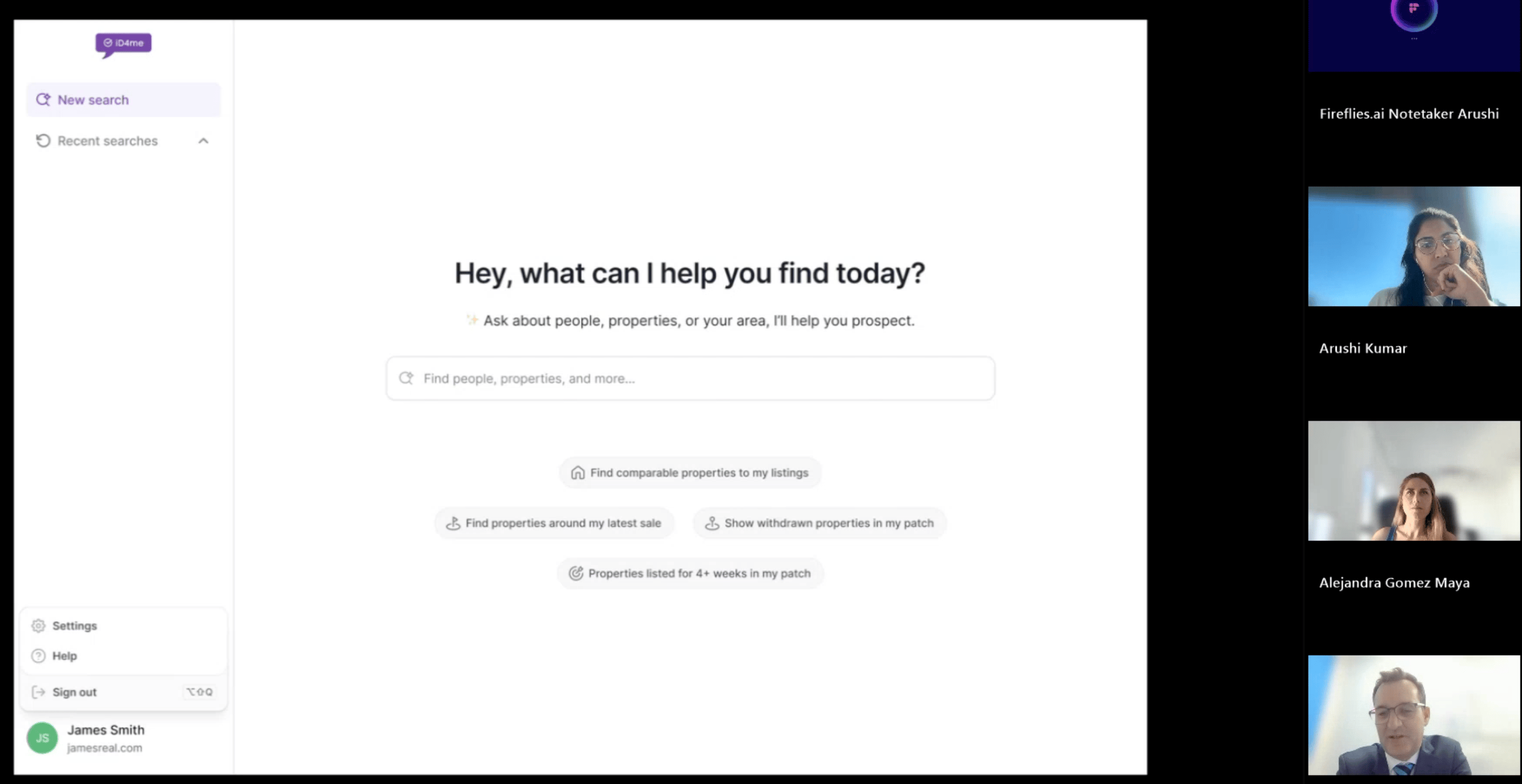
I designed every outcome for every use case: a match, no match, too many matches and errors. Three versions, each changed after a round of interviews.
V1 · Exploring the idea
The first version of the chat experience on desktop. A quick way to make the idea real and get early reactions.
V4 · Shaping the product
The full experience on desktop and mobile, narrowed after feedback: dashboard refined, search enhanced and settings simplified. Three options for how results should look, tested with users.
V6 · The pilot version
Built around the six use cases and real queries. Every outcome designed: a match, no match, too many matches, missing data and errors.
Built for handoff
Every frame had notes for engineering: ranking rules, when to show DNCR status, how to word court record matches.
Each use case linked to its spec, so the design and the spec never drifted apart.
06 · What testing changed
The AI didn't exist yet,I tested its behaviour anyway
Agents typed real queries into a working chat, and I sent back responses in real time. To them, it felt live. I wasn’t testing if the AI was accurate. I was testing if agents understood it, trusted it and got what they expected.
13 sessions · 45–50 min each · Figma prototype + live chat
Open exploration
Property search
Contact lookup
Area prospecting
Mobile use
Before
Full property profiles in every answer. Two agents said it was too much: “You give me too much.”
After
A short summary first. Detail on request.
Before
Answers didn't say where the data came from. Nine agents asked how the AI knew.
After
Every answer shows its source, how recent it is, and why it matched.
Before
An open prompt: “What would you like to explore today?” Three agents didn't know what to type. One called it “so general that I would not know” what to enter.
After
Specific suggested prompts on first load, based on role and patch.
What testing proved wrong
- An open chat doesn't tell people what to ask. They need clear starting points.
- More data doesn't identify the owner. A name mismatch made one agent hesitant to call.
- Property insight isn't the main value. Contacts are.
“I still want to have another confirmation just to make sure it's correct.”
Who said they wouldn't use it
- One user wouldn't use a “medium” confidence label. It didn't tell him if the data was right or wrong. A plain reason does.
- Another wouldn't risk incorrect owner data when another platform showed title details.
- A third would stop using it if the first results weren't useful.
07 · Three decisions
What I chose, what I rejected, and what it cost
Inferred, never stated
Chose
Ownership as a label (Strong, Partial or Nearby match) with a one-line reason.
Rejected
Saying “owner” whenever the data matched. What agents asked for.
Cost
No time was planned for confidence labels. I made the case for keeping them as a key trust requirement.
Prospectors only
Chose
A pilot for sales agents, principals and business owners. 72% of users.
Rejected
Our first spec, which covered every role.
Cost
BDMs, property managers and buyer's agents waited for phase 2, with some of my strongest research.
Summary first, small batches
Chose
Responses are a short summary, then 3 to 10 results at a time.
Rejected
The full data dump agents get today in iD4me, ready to export.
Cost
Agents who wanted a full list had to ask again. But short responses mattered: every extra result meant more personal data and higher cost, already projected at six times the $5 target.
08 · How the AI behaves
Figma showed each state,the spec said what the AI must do
Situation
What the AI does
Example
Not sure who owns it
Shows a confidence label and a one-line reason
“Strong match · linked after the 2014 sale”
Data is missing
Says what's missing, then offers something useful
“I don't have days on market, but here's what's sold on Swan Street recently.”
Query is unclear
Asks one clarifying question, never two
“Do you mean Brighton VIC or Brighton SA?”
Too many results
Says how many, asks the agent to narrow
“I found [X] contacts with that name. Can you narrow it by suburb?”
No results
Says so plainly, suggests another way in
“No match for that name. Try the street or a phone number.”
Every time
Never invents data. DNCR on every number. Few contact details unless asked.
“04XX XXX 218 · On the Do Not Call Register”
Tone
A sharp colleague, in agents' words: patch, vendor, OFI
“Sarah Thompson is in your patch. Here's what you need to know.”
9 · Did agents actually want a chat?
The answer was mixed,that was the most useful finding
The brief started as AI-first. When I asked agents to compare the chat with today's search, they didn't pick one. They needed both.
Note: Some friction came from the prototype itself, like speed and mock data, so I weighed those comments carefully.
Where chat helped
Better for deciding who to call.
Better prospects, property and contact data together, and the detective work done for them.
“100%, a good starting point.”
6 agents
saw real value in it.
4 agents were strongly positive, 2 more with caveats.
Where today's search won
Better for working through the list.
Fast lookups, one-click copy into a CRM, scanning and cross-checking. A chat showing 3 to 10 results can't do that.
“The current set out is pretty good. It’s very quick.”
7 agents
needed to work through many results at once.
2 agents preferred today's search outright. 3 found the chat no faster.
10 · Where it landed
The business decided not to launch it for now, here's what I can show
No date has been set, so there are no production numbers. Each claim is labelled by how sure it is.
Validated
In research and data
- One search in five returned nothing. One in eight returned 100 or more. (1 Jun to 31 July 2026)
- Agents wanted the right number, not hundreds. Ownership was their biggest worry.
Adopted
Inside the company
- My spec became the build document for Deakin University’s AI team..
- Engineering built a working chat against it and started internal testing.
- My trust rules became acceptance criteria.
- My six use cases became the product's core capabilities in iD4me's 2026 PropTech Awards entry.
Target
Not yet measured
- 5 to 20% lower churn for users with access.
- Under $15 per user per month in the pilot, under $5 at full rollout. Projected at about $30 today, not measured.
- Responses under 5 seconds. Zero personal data exposure incidents.
The plan: time three everyday tasks before and after launch, and survey agents three times.
What I'd recommend now
AI inside the search, not instead of it
- Natural language in the existing search bar.
- Suggested prompts and short summaries on top of the results list.
- Keep scanning, cross-checking and one-click copy.
- Release to a larger share of users, measure, then grow.
11 · learnings
AI can improve a product without replacing it
Agents wanted to ask in their own words, and to scan, compare and copy long lists. Chat alone gave them the first and took away the second. AI inside the existing search gives them both.
Test the concept before the interface
I refined how the chat should answer before testing whether agents wanted a chat at all. Next time, round one puts the new idea side by side with today’s product.
Design for the whole workflow
Agents scan, cross-check in other tools and copy into their CRM. Now I map what happens after the result, not just the result.
Ship small AI and learn from real use
Natural language in the existing search bar, released to more agents, would have given real data months earlier.

NEXT CASE STUDY
Memories Connect CRM